Partial, not full
Trash Day Game Controls and Controller Support
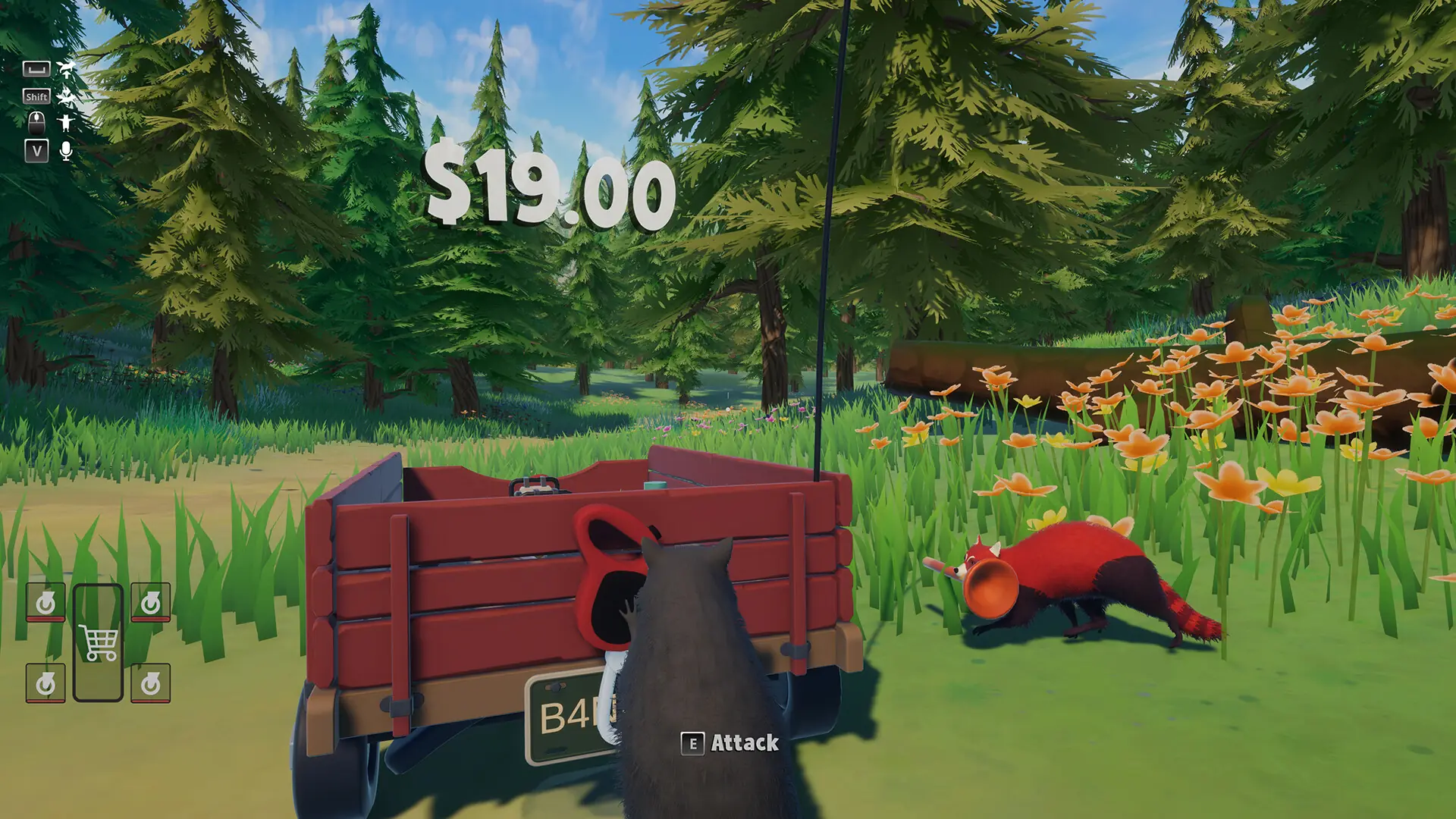
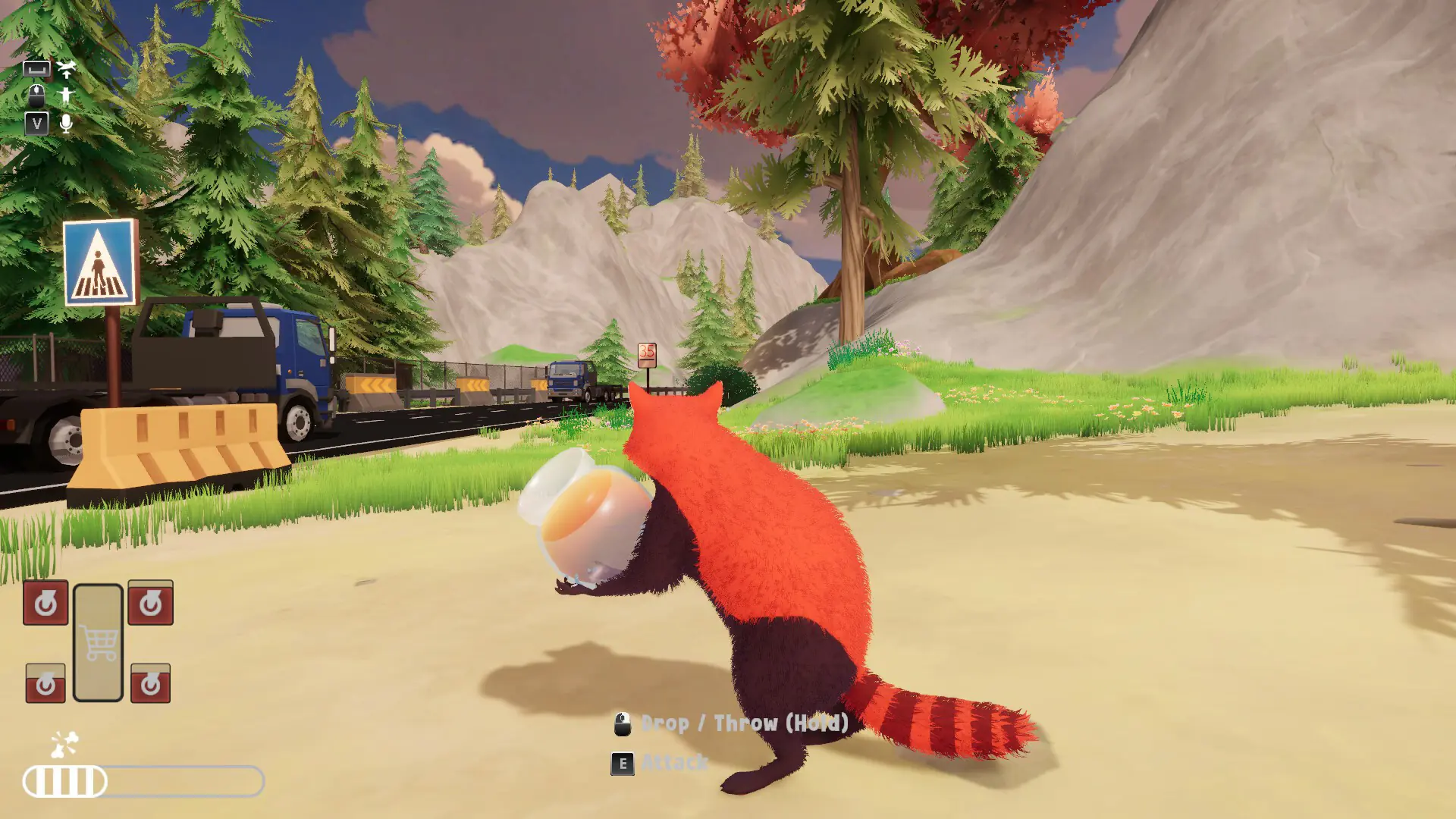
Trash Day lists Partial Controller Support and DualSense Controller Support on Steam. That is not full controller support. Keyboard prompts on the official HUD prove four actions. Everything else lives in the bindings menu.
Keys the screenshots actually show
| On-screen label | What the shot shows | Source count |
|---|---|---|
| E · Attack/Use | Interact and attack share this name after a demo rename | 1 publisher · HUD + demo notes |
| Left mouse, hold | Drop / Throw (Hold) | 1 publisher · HUD |
| Shift | Sprint | 1 publisher · HUD |
| V + microphone | Voice, read as push-to-talk | 1 source, the HUD |
A demo patch moved Bite onto the left mouse button, renamed Attack to Attack/Use, and added a Drop/Throw binding row. Those notes are why the labels look the way they do. A Tab-like icon appears on one HUD and is not captioned, so I will not call it a map. Jump, grab, and the rest of the default pad are unpublished. Open bindings in the game if a prompt does not match this table.
Gamepad
DualSense is named twice in the store category list, alongside Partial Controller Support. I correct guides that say the pad is fully supported. Prompts on the HUD can change with the device you are holding; the screenshots themselves still show keyboard letters. There is no shared-screen category, so a second pad on one PC is not a documented local mode. See multiplayer for the six-player online cap.
Questions
Does Trash Day support controllers?
Partial support, including DualSense. Not full support.
What is the use key?
E is labeled Attack/Use on official HUD shots. Bindings can change it.
How do I talk?
The HUD shows V next to a microphone. That is one source.
Sources
- Steam store categories and screenshots — checked 2026-11-13
- Steam news — demo input changes — checked 2026-11-13